
Platform overview
Built for how automotive education actually works.
Not a simulation. Not a watered-down LMS bolt-on. A platform built from scratch for the way automotive programs teach and the way shops actually operate.
Everything your program needs in one place.
Build it once. Run it every semester.
Instructors in most programs rebuild their courses from scratch each term, exporting, reformatting, re-uploading. Trackara course templates stay in the platform. Clone last semester's course, update the dates, and you're done.
- Clone last semester's course in minutes
- Repair order, diagnostic, and inspection task types
- Photo and notes submission requirements
- Sequenced modules with due dates
The differentiator
Not simulations.
Simulation-based diagnostic training teaches students to recognize fabricated scenarios. Trackara Education connects to real OBD2 data, students submit actual fault codes and their own diagnostic reasoning.
Know before they fail.
Real-time completion status for every student, spot who needs attention while there's still time to help.
No second login. No manual grade entry.
Students and instructors launch directly from your LMS. Rosters sync on first launch. Grades write back to your LMS grade book automatically, nothing manual, ever.
Moodle · D2L
Education
Grade work where it lives.
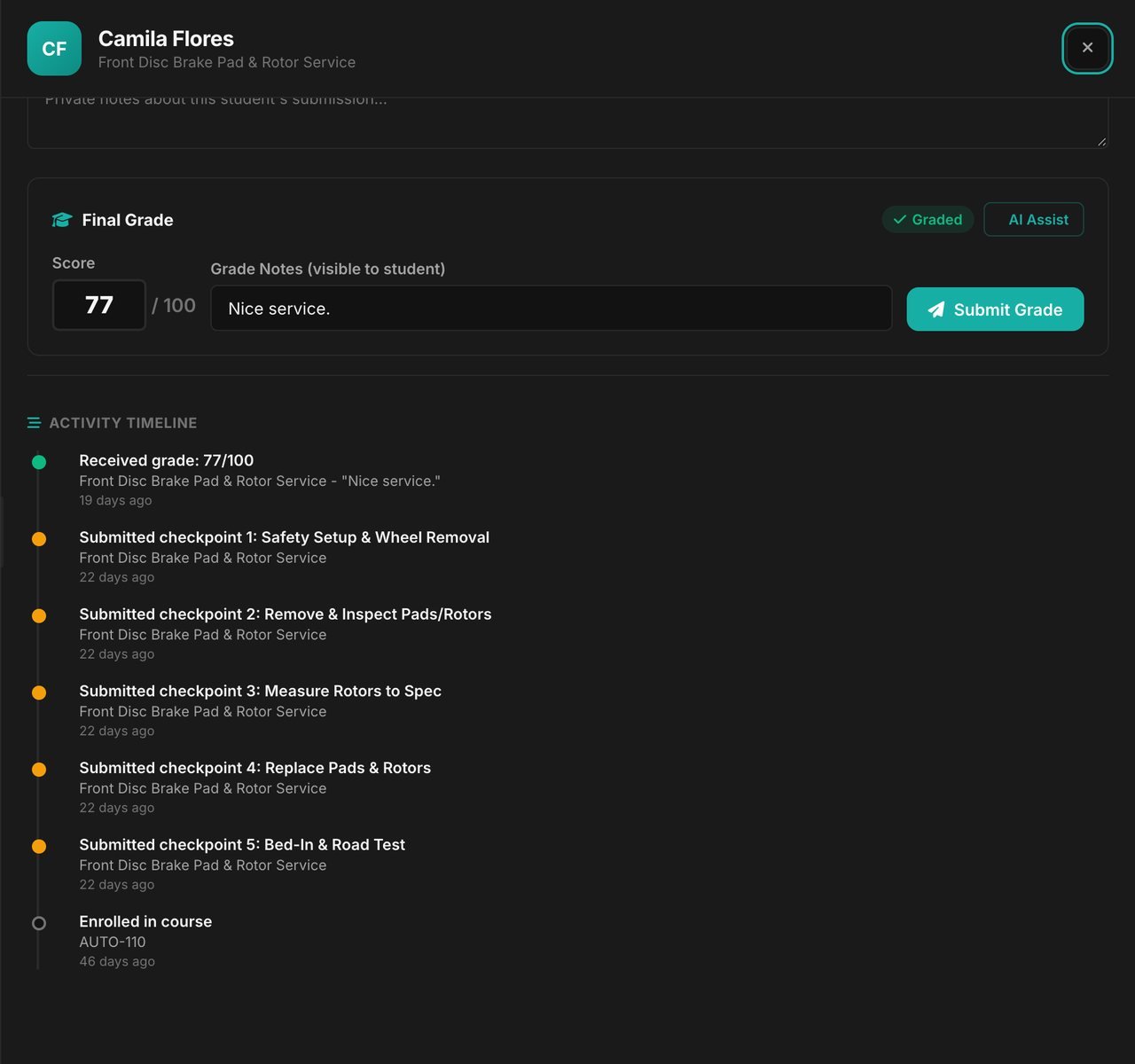
Students submit repair orders, diagnostic reports, and photos. Instructors review them directly in Trackara, no chasing PDFs, no separate grading platform, no re-uploading evidence. Score, comment, and submit. The grade syncs to your LMS the moment you save it.
- Inline review of submitted repair orders and photos
- Point or rubric-based scoring
- Written feedback attached to the submission
- Grade syncs to LMS on save, nothing manual
The same app professionals use. Every day.
There's no "student mode" in Trackara. When a student works a repair order in the app, they're using the same interface, the same workflows, and the same tool a professional mobile mechanic uses in a real shop.
Included with every program
Trackara Pro
Every graduate. Full professional access. No application required.
A few screens from the platform.
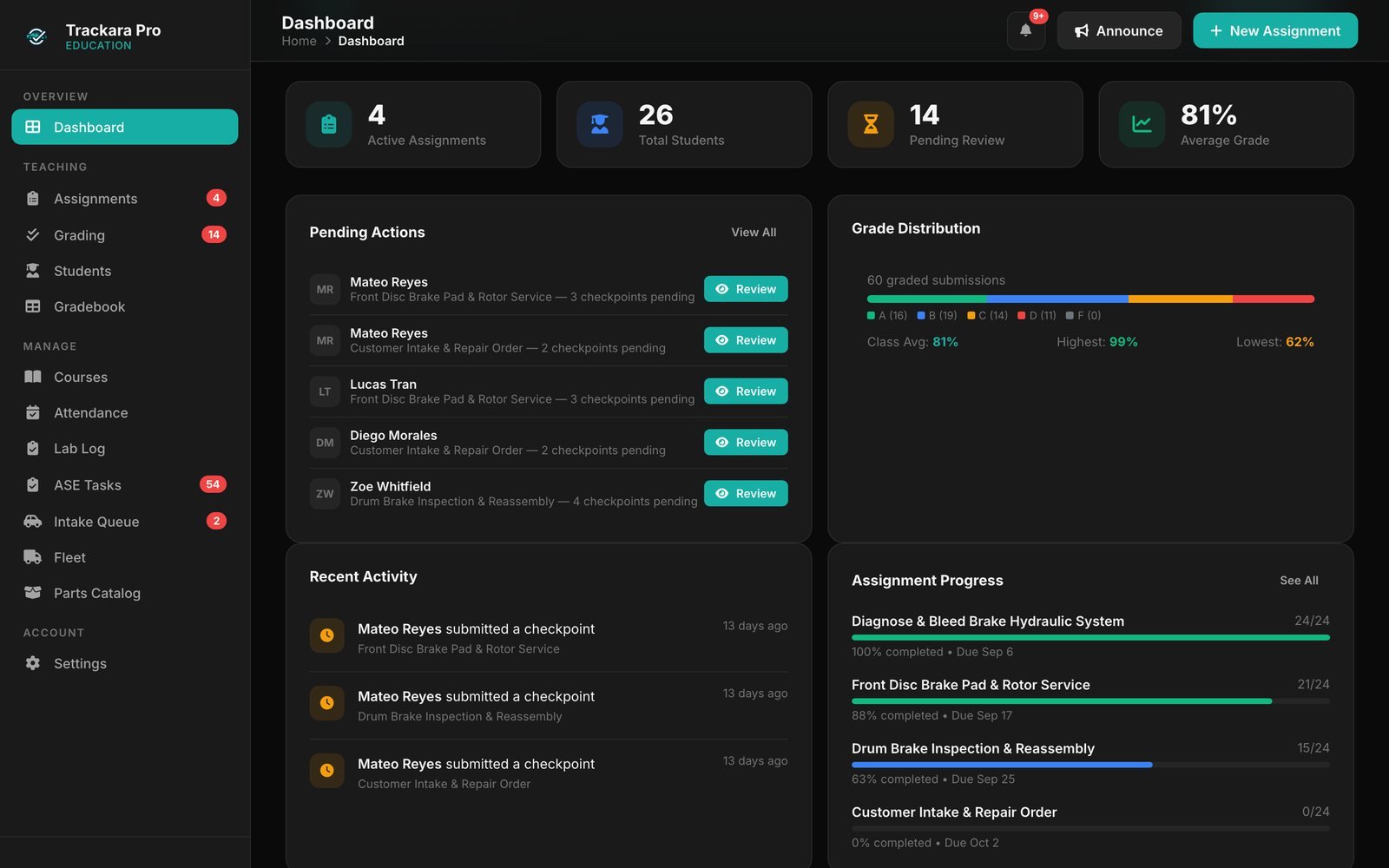
Instructor dashboard: active assignments, students, submissions pending review, average grade and the grade distribution
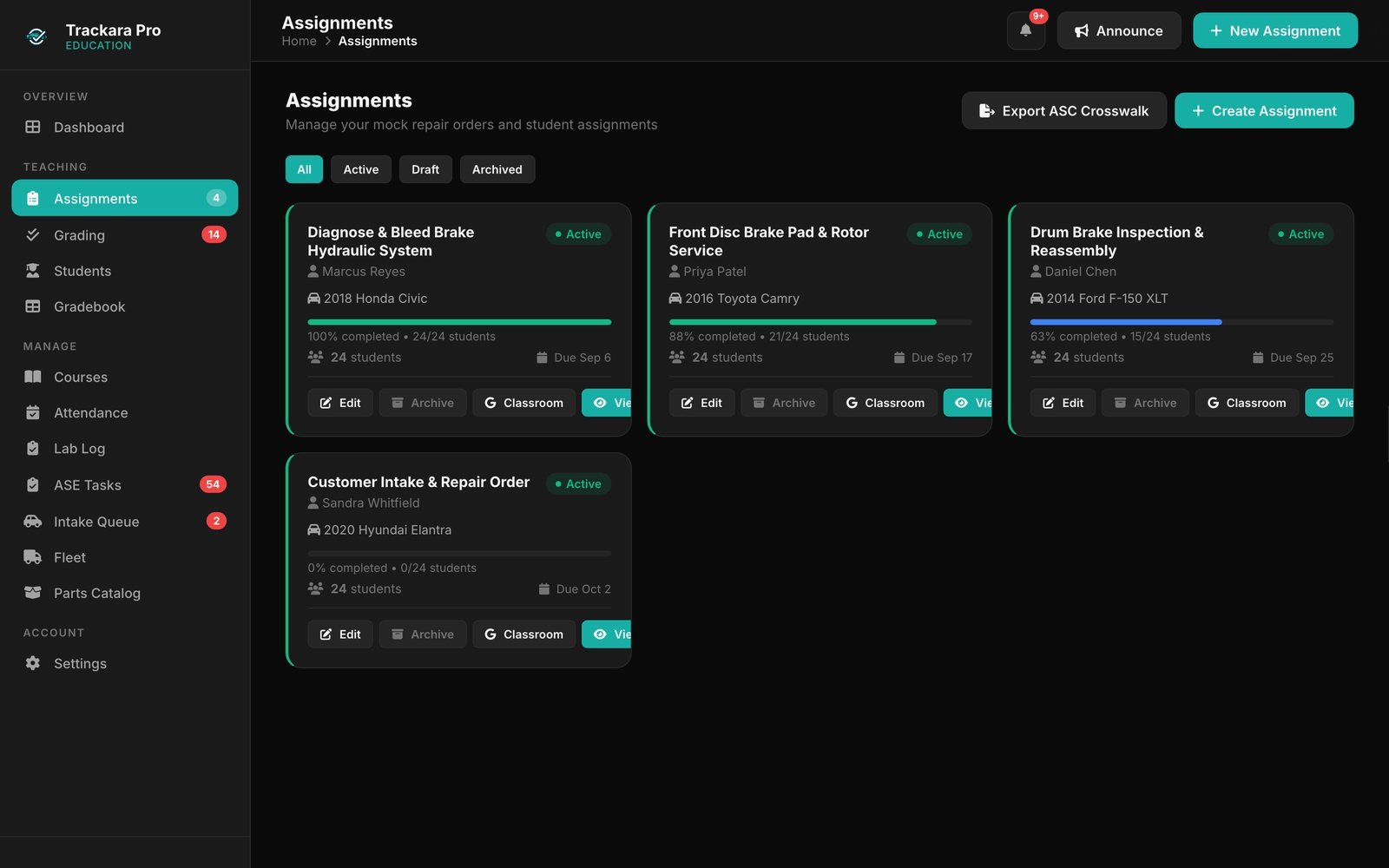
Assignments: each one a mock repair order with its customer, vehicle, completion and due date
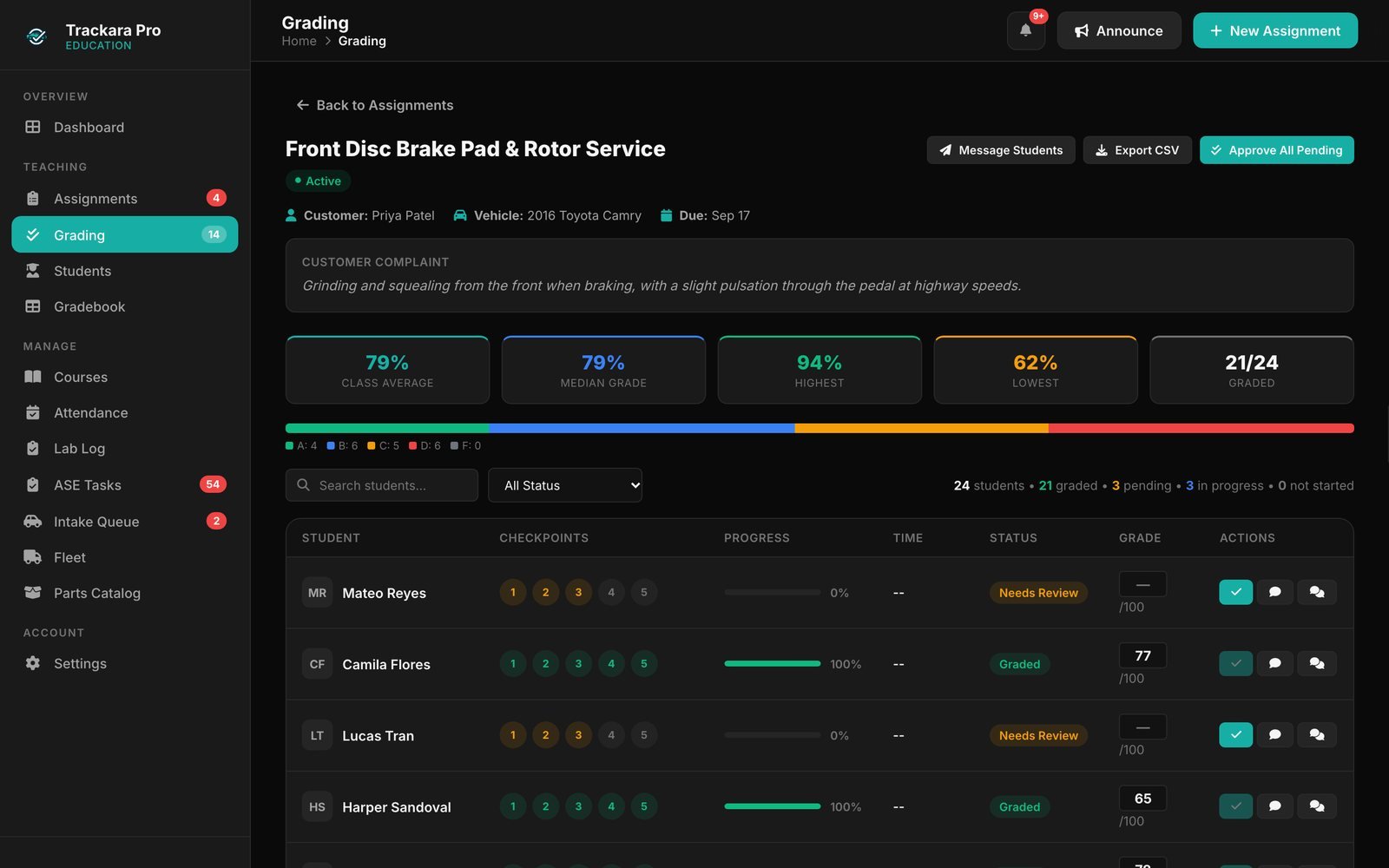
Grading one assignment: the customer complaint, class results, and each student's checkpoints, status and grade
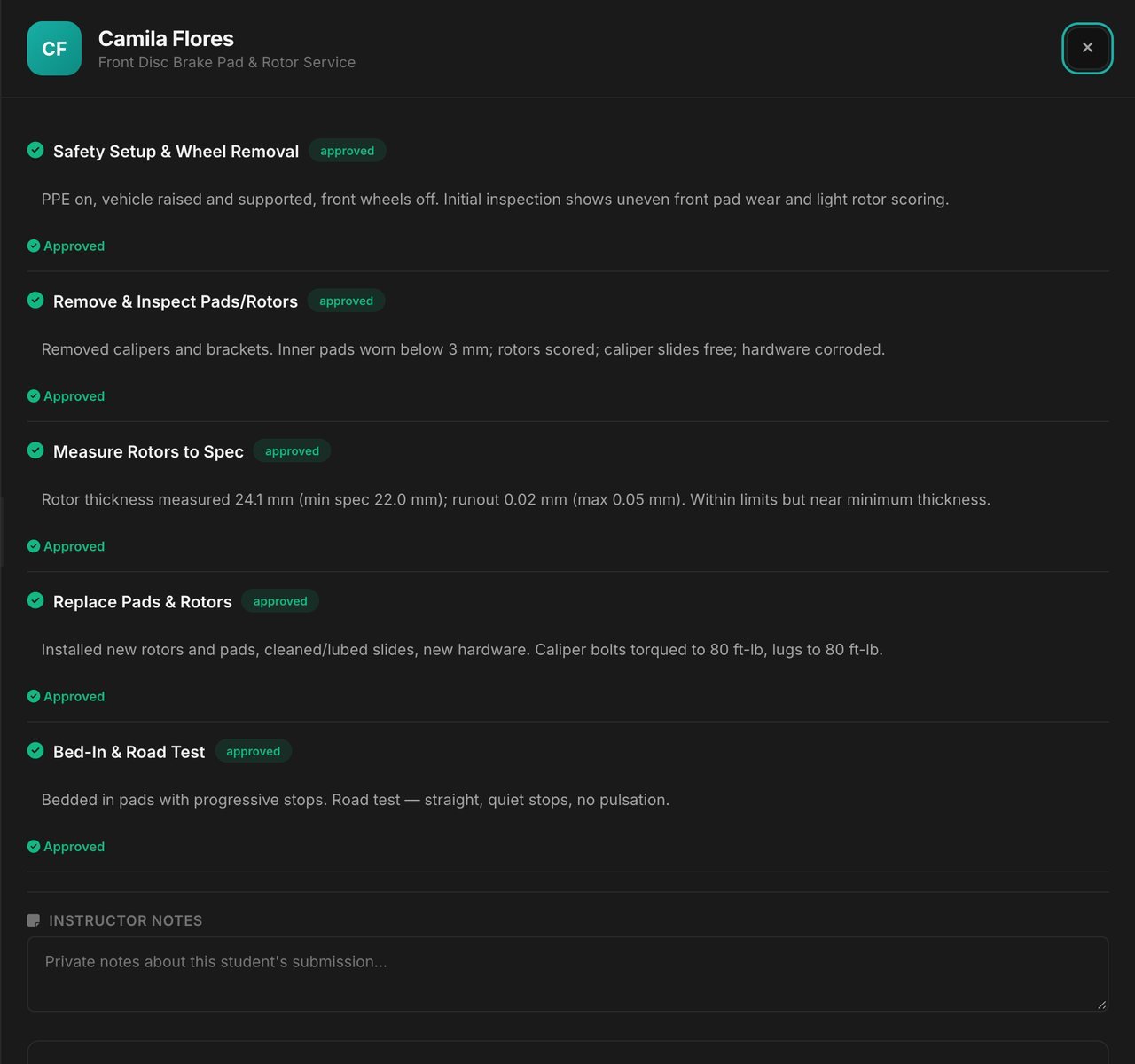
One submission opened: the student's notes on each checkpoint and its approval
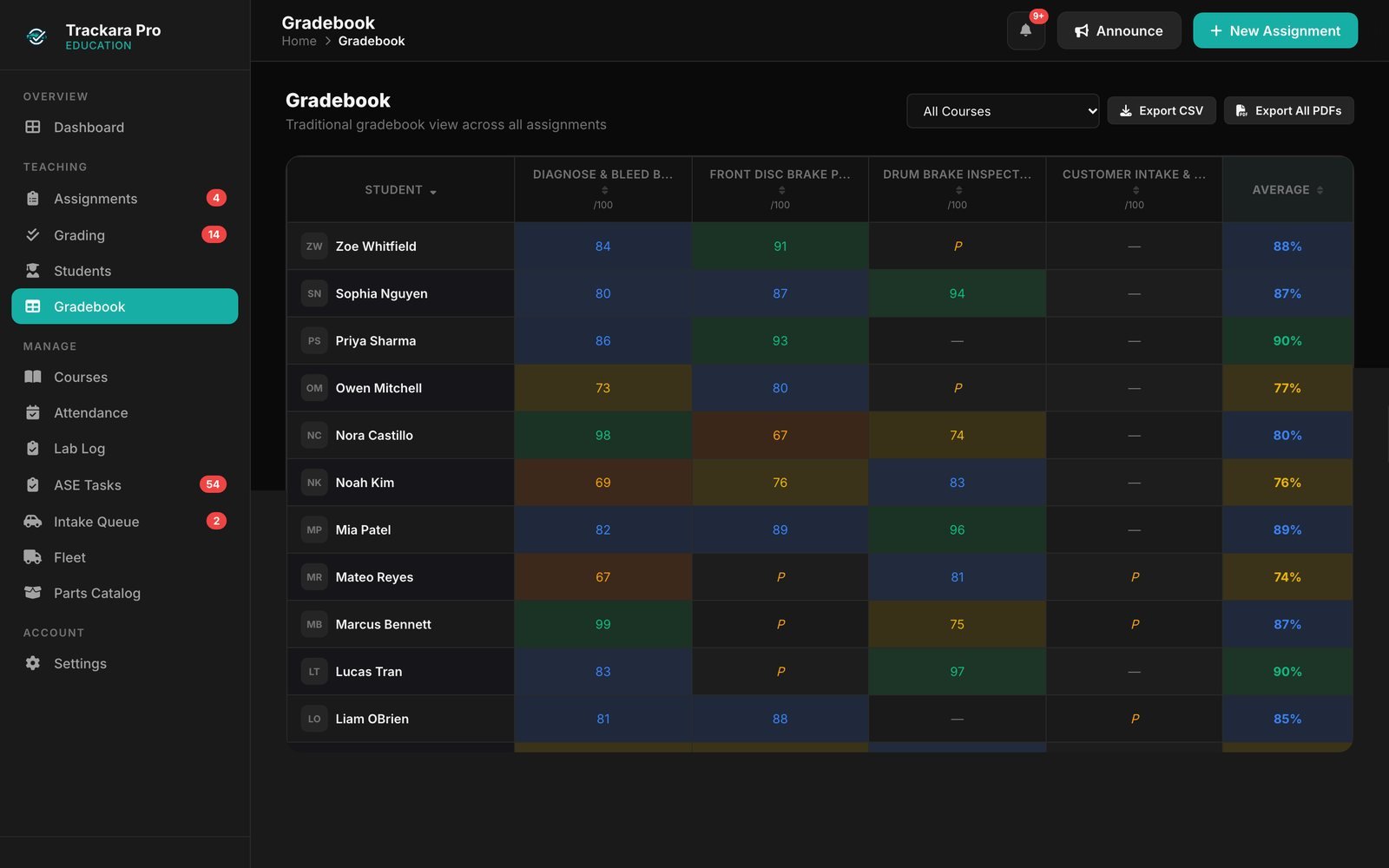
Gradebook: each student's score on every assignment and their average
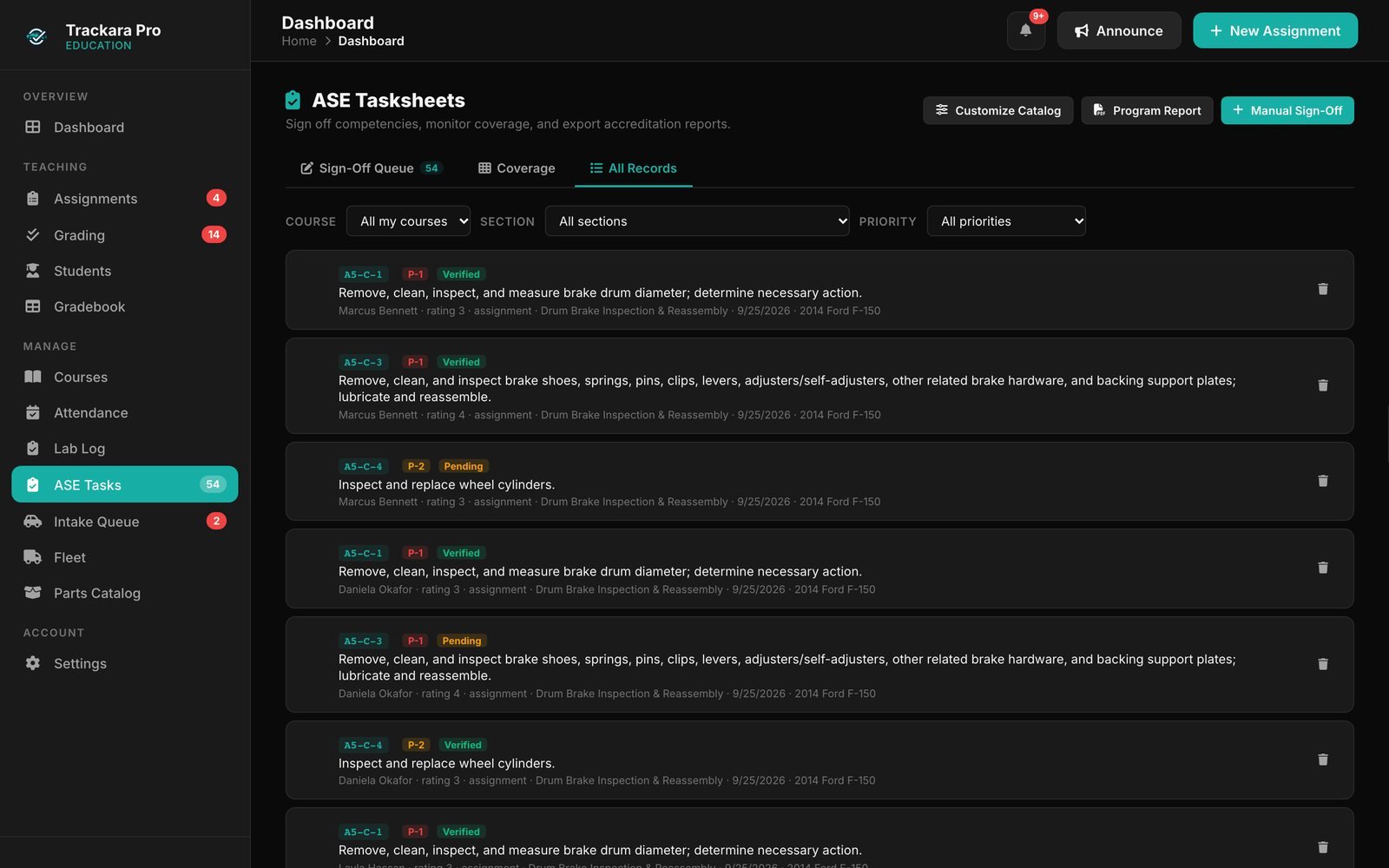
ASE task records: brake tasks per student, verified or pending, with the assignment and vehicle
Screens from the Trackara Education instructor portal, captured from a demo course (AUTO 110, Brake Systems) with sample student data.
See it all in one walkthrough.
We'll show you the platform from instructor to student, built around your program's specific curriculum.